

Xeneon Edge Widget For Control Center
Build your perfect canvas with Control Center, an interactive XENEON EDGE widget that brings your PC’s controls, shortcuts, and hardware readings together. Create a compact panel or fill…
Respawn Companion
Includes Respawn Companion for game integration and widget configuration.
About Respawn Companion →About This Widget.
Build your perfect canvas with Control Center, an interactive XENEON EDGE widget that brings your PC’s controls, shortcuts, and hardware readings together. Create a compact panel or fill your display with a layout built around how you work, play, and connect.
What’s Included
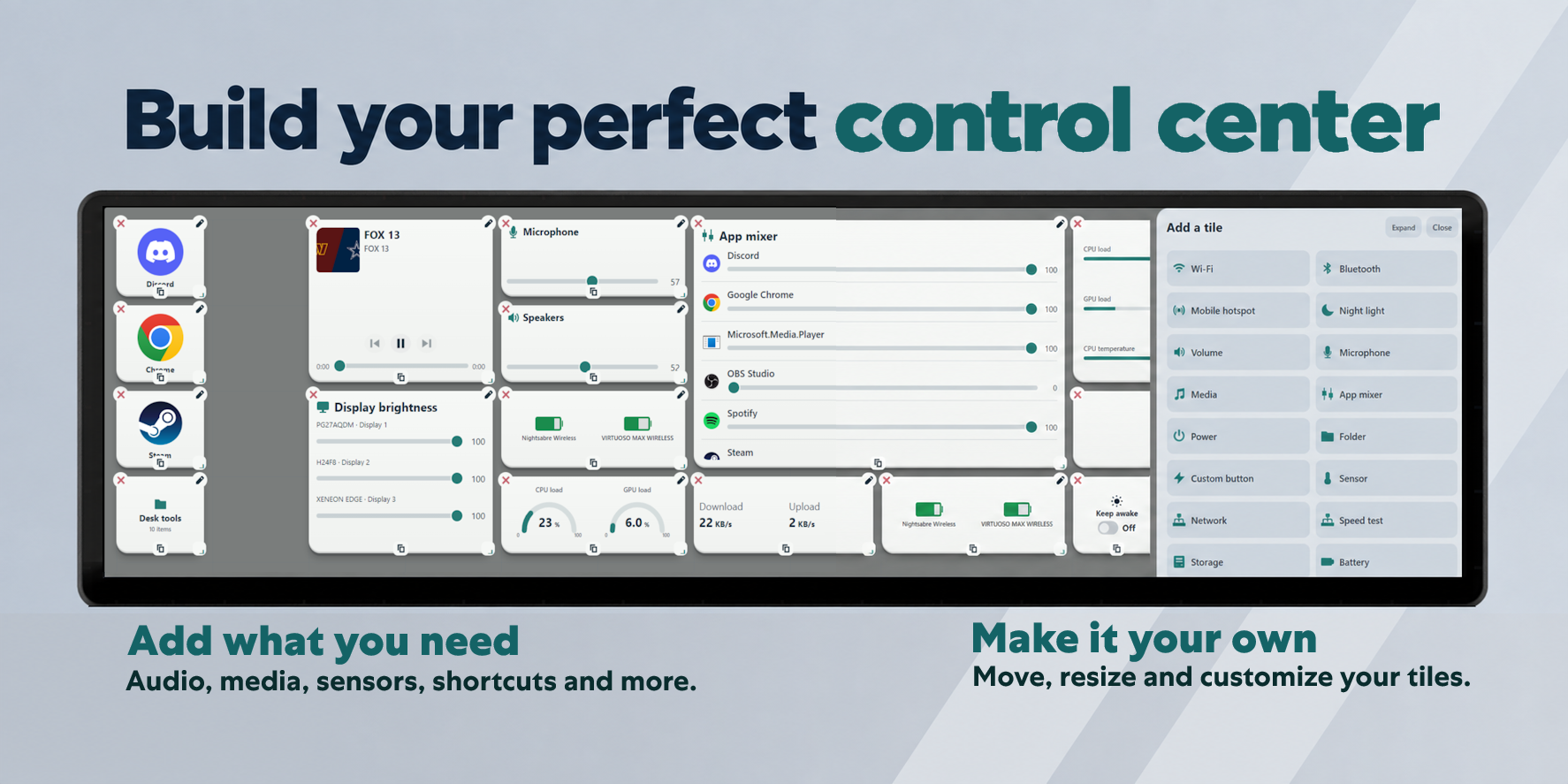
Choose from a range of tiles:
- Media & Audio: Playback controls, album artwork, speaker and microphone volume, and individual app volume controls (audo mixer).
- Hardware & Sensors: Display available hardware readings, battery levels, internet speed test, storage space, and network activity.
- Connectivity: Wi-Fi, Bluetooth, and mobile hotspot controls with available network and device information.
- PC Controls: Display brightness, Night light, power options, and Keep awake.
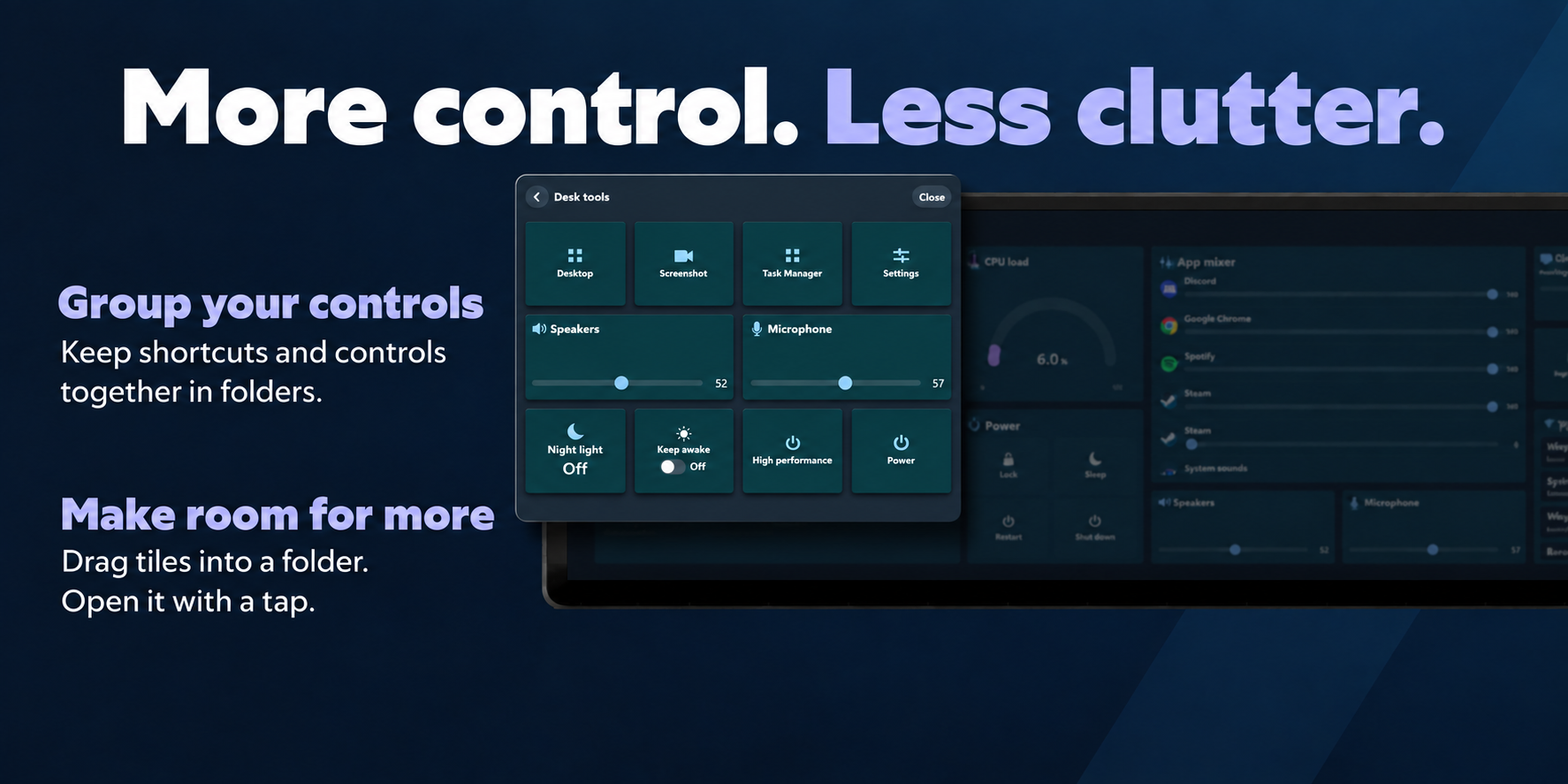
- Shortcuts & Folders: Launch applications, open websites, and organize related controls into folders.
- Custom Buttons: Supports HTTP integrations and JSON payloads to utilize custom scripts.
Add multiple sensor readings to a tile, give them custom names, and choose how they appear. Select storage units and monitor available wireless-device battery levels, including charging status.
Touch Controls and Layouts
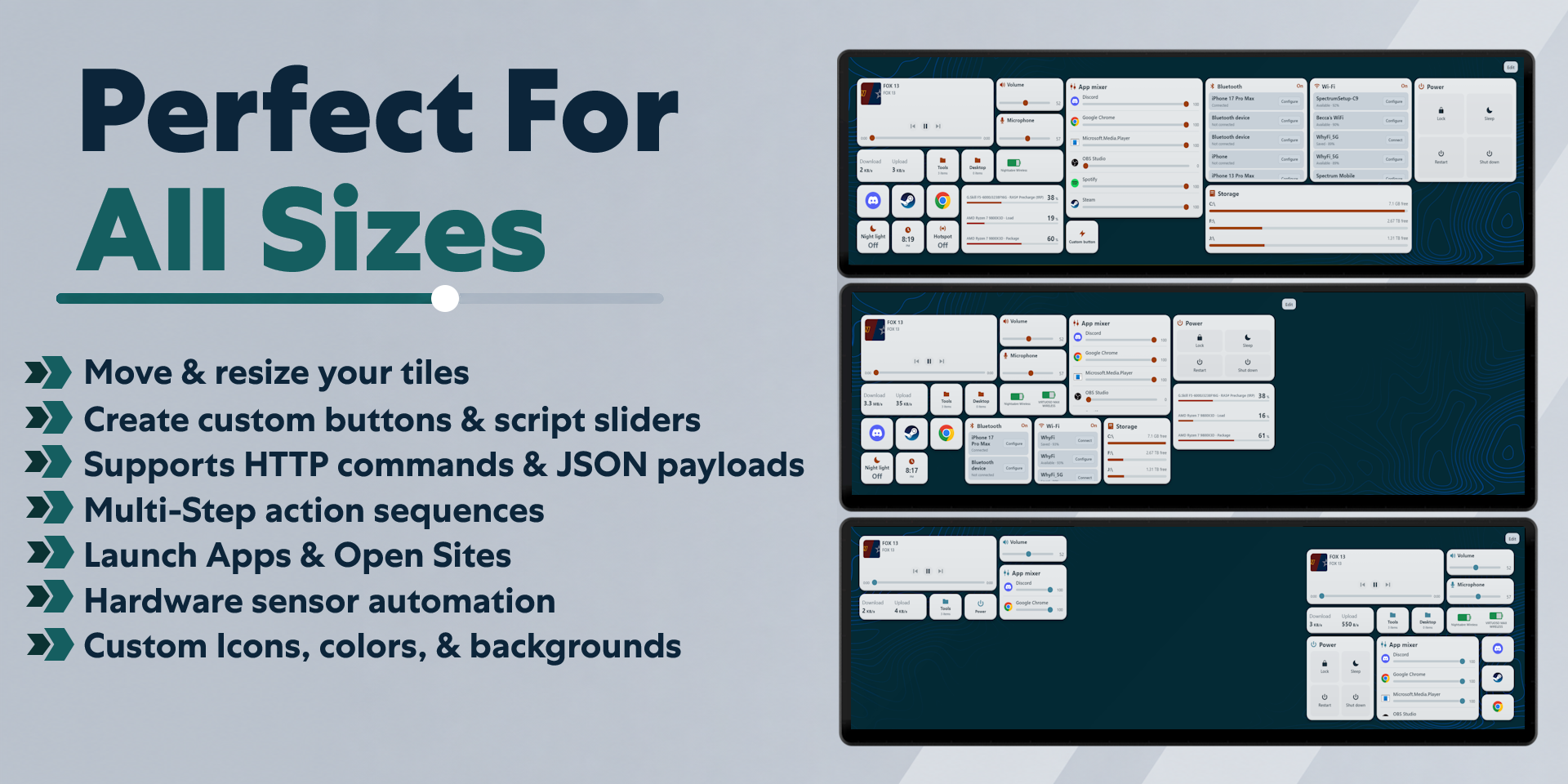
Add, move, resize, and duplicate tiles to create your preferred arrangement. Use larger tiles for more information or smaller tiles for quick access.
Adjust sliders directly from your touchscreen. Drag tiles into folders to keep your canvas organized, then open a folder with a tap to access its controls.
Customization
Choose light or dark mode and customize your dashboard’s colors, backgrounds, transparency, spacing, text sizes, corner shapes, and depth.
Apply a consistent appearance across your dashboard or customize individual tiles. Supported tiles offer separate On and Off appearances so their current state is easy to recognize.
Use custom icons and images to personalize your shortcuts. .
Custom Actions and Automation
Build custom buttons and script sliders for your own setup.
Run PowerShell scripts, trigger keyboard shortcuts, launch apps, open websites, or combine multiple steps into a sequence. Send JSON payloads to compatible local HTTP integrations.
Create rules that respond to available sensor values while the widget is open. Custom scripts and integrations may require additional setup.
Data and Connectivity
Control Center requires the Control Center module in our Respawn Companion app, available through the Related Downloads link on this product page.
The module connects the widget to supported Windows controls and services. Available readings and actions depend on your hardware, drivers, applications, and connected devices.
Compatibility
Designed for XENEON EDGE and iCUE on Windows.
Media information and playback features depend on what each application exposes through Windows media controls. Hardware sensors, battery reporting, display brightness, and connectivity controls vary by device and system configuration.
Disclaimer
Control Center is an independently developed product and is not endorsed by, sponsored by, or affiliated with Corsair, Microsoft, or any other application or hardware manufacturer.
Compatibility and available features may change with updates to Windows, iCUE, drivers, or third-party applications. All service names, trademarks, logos, and related intellectual property belong to their respective owners.
Requires a Corsair Xeneon Edge and iCUE. Not compatible with Stream Deck.

