FLAGSHIP Free download

Respawn Companion

The application that turns a XENEON EDGE widget from a panel of buttons into something that knows what is happening in your game. Included free with the Star Citizen and Elite Dangerous widgets, and built to carry every game we bring to it.

Download Respawn Companion Free · Windows · needs a Respawn widget to do anything
Respawn Companion, showing the active game and its connection status

What It Changes

The Widget Starts Paying Attention

A normal touchscreen panel sends key presses and knows nothing else. The Companion sends the widget live game information — location, jurisdiction, shard, contracts, invitations, notifications and gameplay state — so the panel in front of you reflects the game instead of just poking at it. It can switch the widget between interfaces on its own, such as Star Citizen’s ship and on-foot modes.

It Finds The Binds You Already Use

You have spent years arranging your keys and you are not about to type them all in again. Auto Bind picks up the binds you already play with, so setup is something you check rather than something you do. Anything it cannot work out, you set once and it stays set.

One Application, Every Game

Each game is a module inside the same app rather than a separate program cluttering your machine. Install the ones you own, switch between them, and let new ones arrive without touching what you have already set up.

What It Sees

A normal touchscreen panel sends key presses into the dark. The Companion reads the session as you play it, and the widget in front of you changes to match.

LIVE SESSION
Connected to Persistent Universe
Location detected: ArcCorp — Area18
Controlling faction: United Empire of Earth
Ship channel joined: Drake Cutter
Contract detected: Pro Tem Suspect Apprehension
Contract objective: Neutralize target
Live server node changed — shard reconnected
Widget interface switched: ship → on foot

Location, jurisdiction, shard, contracts, invitations, notifications and gameplay state, as they happen. Every module reads its own game the same way.

CONTROLS

Every Control, In One Place

Names, binds, behavior, icons and colors for every control on the widget, grouped the way you actually think about them — ship startup, MFD, comms, camera. Find one by typing its name. Put a group back to how it shipped with a single button.

Auto Bind reads your game configuration to detect the keybindings you already use, so the widget arrives knowing your setup instead of asking you to type it in twice. Ship themes can be built per ship and applied on their own when your active ship changes.

The Controls tab, with grouped controls and the Auto Bind button
Editing a single control, with a live preview of how it will look
CUSTOMIZATION

Change It, Watch It Change

Every edit reaches the widget as you make it. Drag the font size and the key in front of you resizes; pick a color and it lands before you have let go of the wheel. No save step, no reload, no guessing what a change will look like on the panel.

Bring your own artwork as PNG, GIF, WebP, JPG or SVG. Choose whether a key sends a press, holds a key down, toggles a state, or runs an ordered sequence.

GAME LIBRARY

Built To Grow

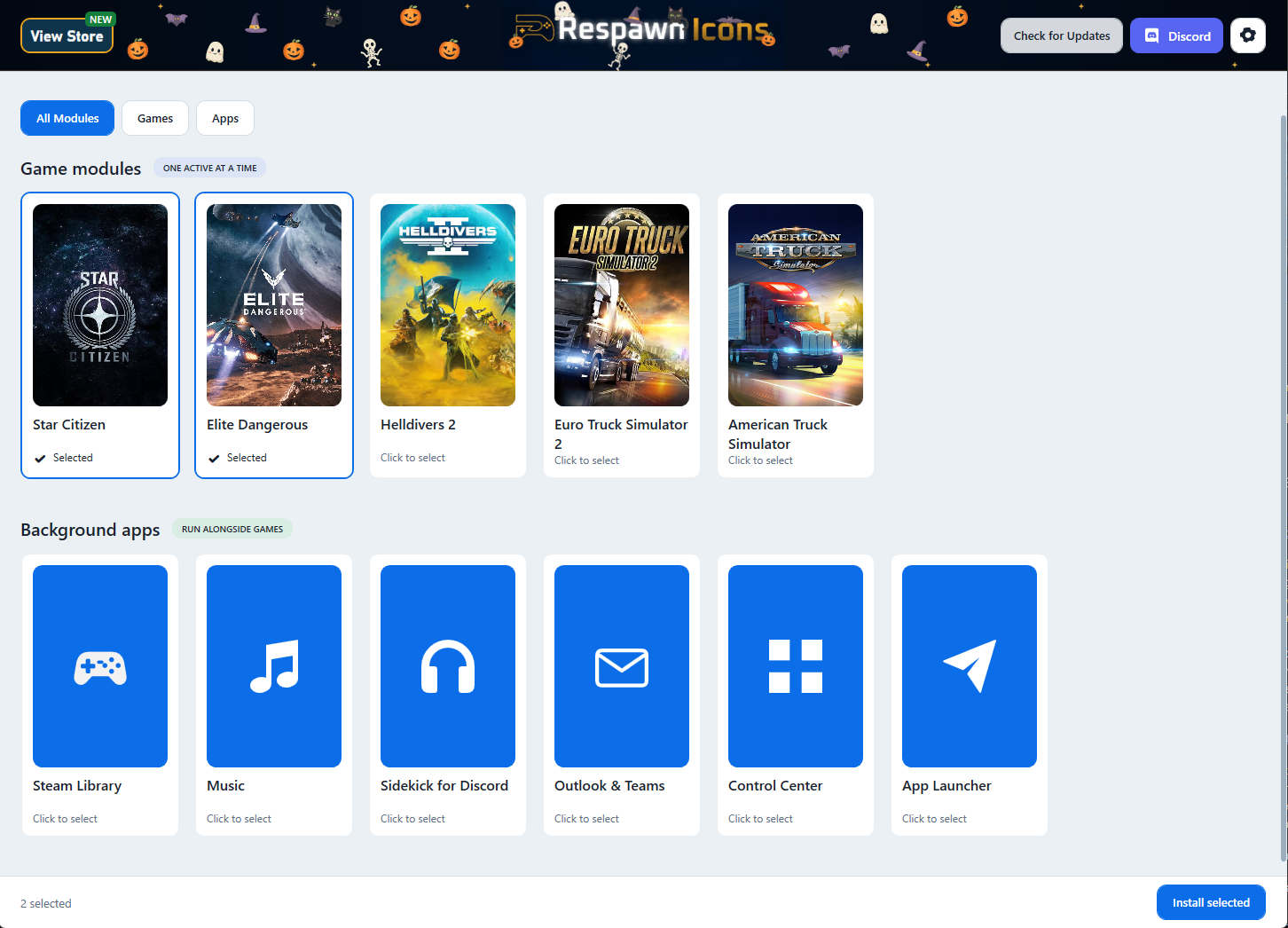
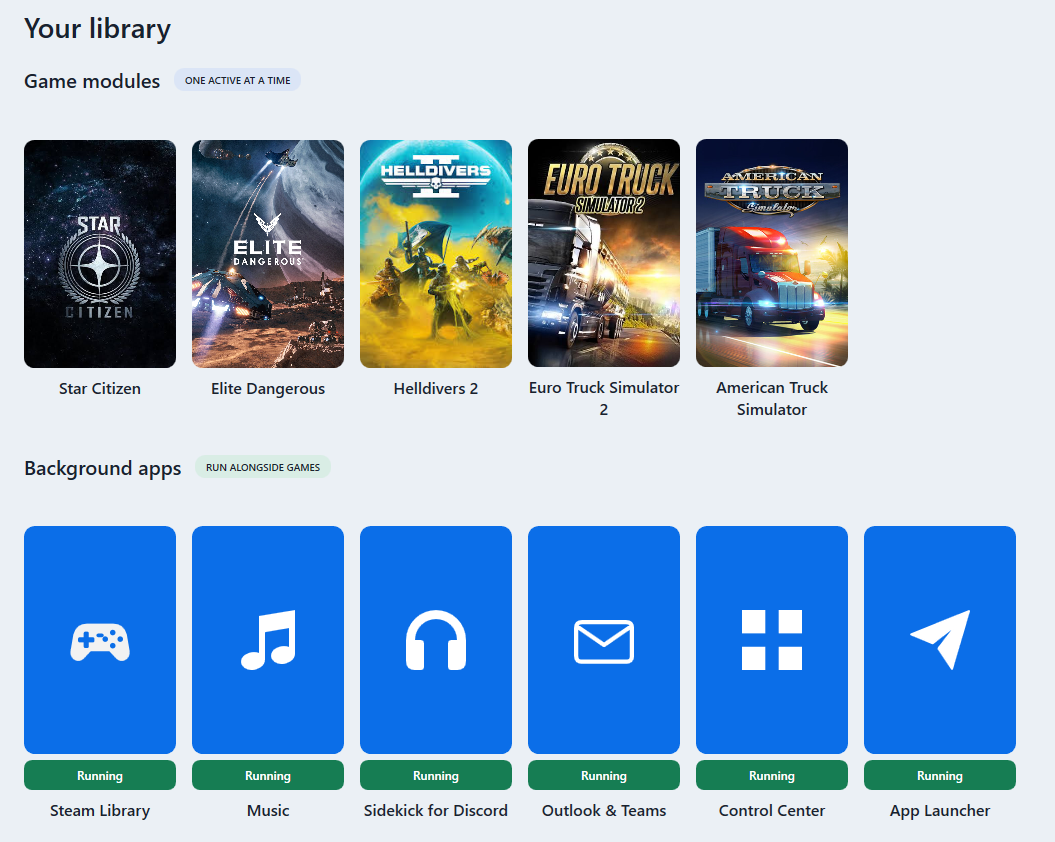
Each game is a module, and the Companion is the shelf they sit on. Install one, update it, switch between them. New games appear in the library without disturbing the games and settings you already have.

Star Citizen, Elite Dangerous and Helldivers 2 are ready today, with American Truck Simulator and Euro Truck Simulator 2 in progress. One application either way — not a separate download for every game you own.

The Game Library, showing the installed Star Citizen module

The Parts You Should Never Have To Think About

It Stays Out Of The Way

The Companion can start with Windows and sit in the system tray. It remembers the game you used last and has it ready before you ask, so most days the only thing you see is the widget doing its job.

It Updates Itself

The Companion checks GitHub for new releases and downloads the latest installer when there is one; game modules update the same way, with a progress bar rather than a mystery. Nothing to check, no version numbers to compare.

Your Settings Survive An Update

Renamed controls, custom icons, colors and layouts are kept when a module updates. An improvement to a game module has never been a reason to rebuild your panel and it never will be.

When Something Is Wrong, It Says So

Connection state for the app, the widget and the game is on screen at all times, and a readable log can be copied straight into a bug report. Telling us what happened should not require a screen recording.

It Comes With The Widget

Respawn Companion is included with the Star Citizen and Elite Dangerous widgets at no extra cost, and it stays included. Every module we add reaches the same application, so the games you own get better without you buying the app again.

See The Star Citizen Widget Windows · requires a Corsair XENEON EDGE
Respawn IconsRespawn Icons Respawn Icons
© 2026 Respawn Icons