
Xeneon Edge Widget For Spotify Sidekick
Bring your music to your touchscreen with Sidekick for Spotify, an interactive XENEON EDGE widget. Browse your playlists, find your next song, and control Spotify playback directly from…
About This Widget.
Bring your music to your touchscreen with Sidekick for Spotify, an interactive XENEON EDGE widget. Browse your playlists, find your next song, and control Spotify playback directly from your display.
What’s Included
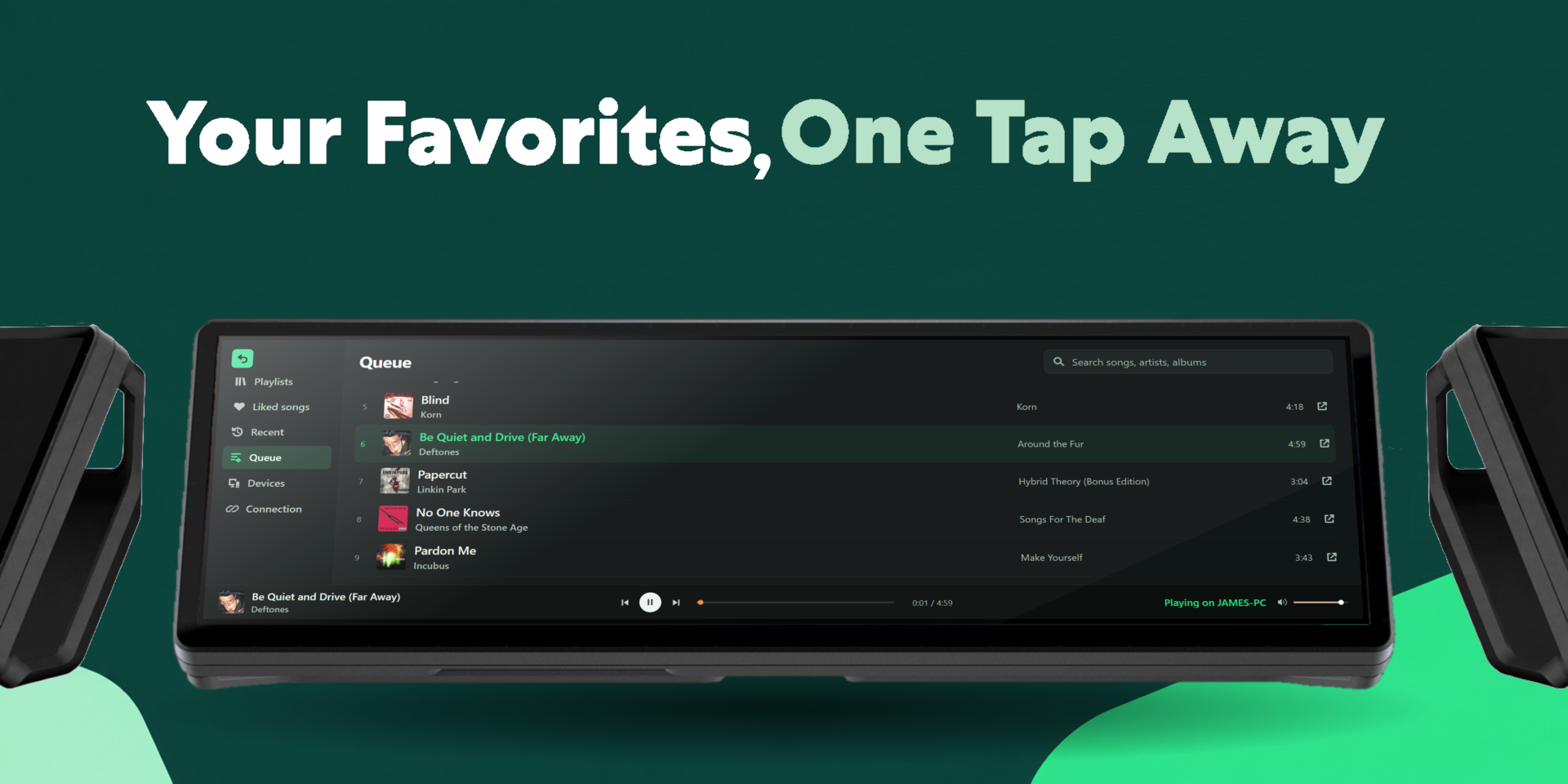
Browse your playlists, Liked Songs, recently played tracks, and queue. Search for songs, artists, and albums with results that update as you type.
Tap a song to play it, add tracks to your queue, or open them in Spotify. Playback controls, a progress bar, and a volume slider stay within reach while browsing.
View available Spotify devices and choose where your music plays.
Customization
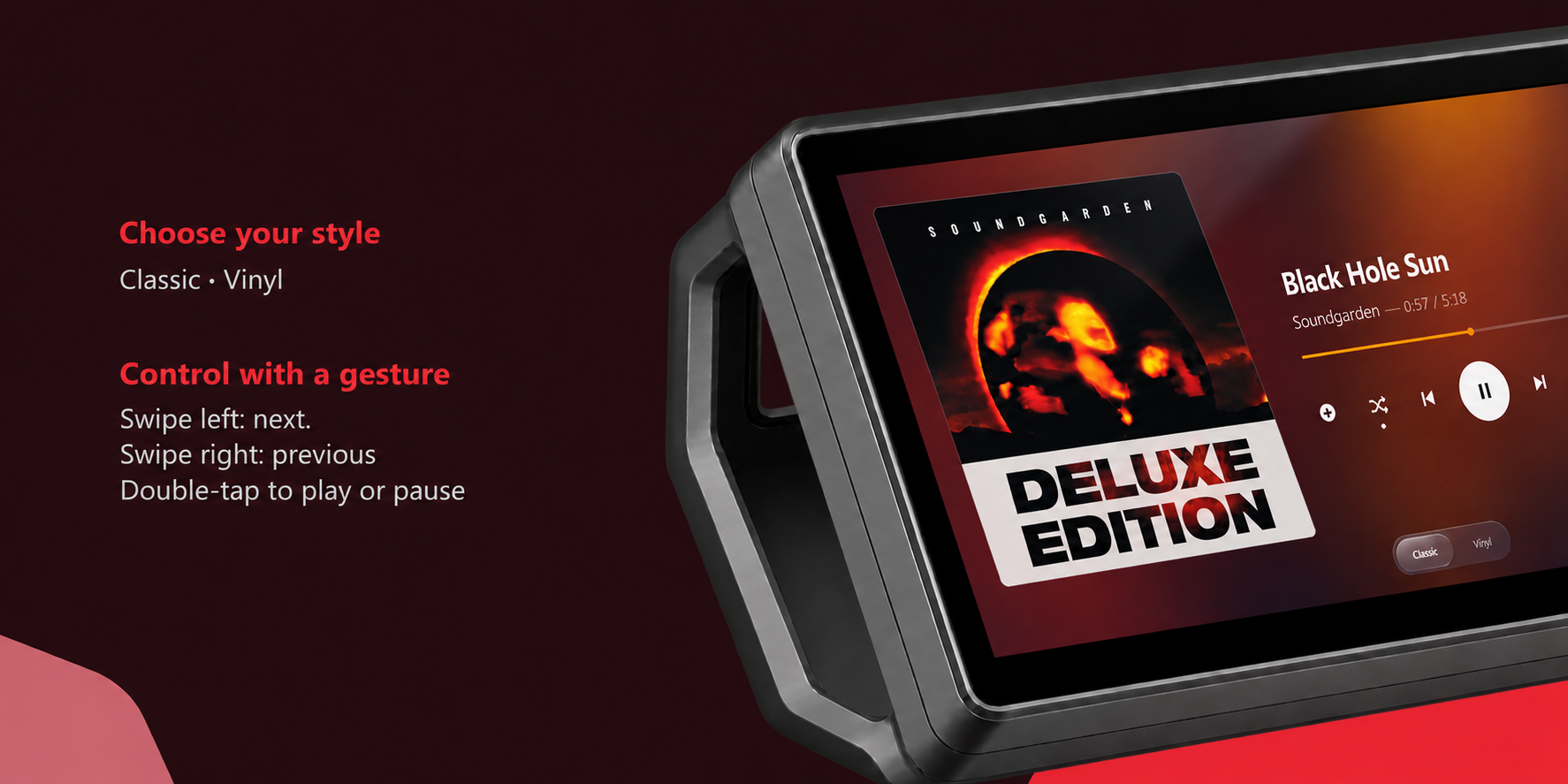
Choose between Classic and Vinyl layouts. Classic puts your album artwork front and center, while Vinyl adds a spinning record with the album cover at its center. A blurred artwork background complements the current song.
Swipe across the player to skip tracks, double-tap its open surface to play or pause, and drag the record in Vinyl mode to seek through a song. Tap the player to reveal controls, which hide after inactivity for a cleaner display.
Sidekick adapts to different widget sizes, making it suitable for both full-width and smaller XENEON EDGE layouts.
Data and Connectivity
Sidekick requires an active internet connection, Spotify Premium, and your own Spotify Client ID from an eligible Spotify developer app. A setup guide walks you through connecting your account. No Client Secret is required.
No separate Respawn companion app needs to run alongside the widget. Music plays through Spotify on your selected device.
Your connection is remembered locally on your PC. Respawn Icons does not persist your Spotify credentials on its pairing server.
Spotify’s developer access requirements, API quotas, and device restrictions apply. Some content or controls may be unavailable depending on your account, device, or Spotify’s API.
Compatibility
Designed for XENEON EDGE with iCUE 5.47 or later on Windows. Supports touchscreen browsing, playback controls, swipe gestures, and adjustable widget sizes.
Disclaimer
Sidekick for Spotify is independently developed by Respawn Icons and is not endorsed by, sponsored by, or affiliated with Spotify or Corsair.
Sidekick relies on Spotify’s services for music information and playback control. Features and availability may change if Spotify modifies or restricts its services. Purchasing this widget does not include Spotify Premium or guarantee Spotify developer access.
All music, artwork, artist names, trademarks, logos, and related intellectual property belong to their respective owners
Requires a Corsair Xeneon Edge and iCUE. Not compatible with Stream Deck.