

Xeneon Edge Widget For Sensors — 1.2.1
We've reduced unnecessary redraws by 60%. This will help the amount of annoying flickering / checkerboarding that was happening before when you'd go into the sensor builder. The uptime sensor now displays xH xM instead of just X.X. The open
What changed
- We've reduced unnecessary redraws by 60%. This will help the amount of annoying flickering / checkerboarding that was happening before when you'd go into the sensor builder.
- The uptime sensor now displays xH xM instead of just X.X.
- The opening instructions to connect to the companion have been very simplified.
- Fixed a layering bug that would occur when adjusting the background opacity
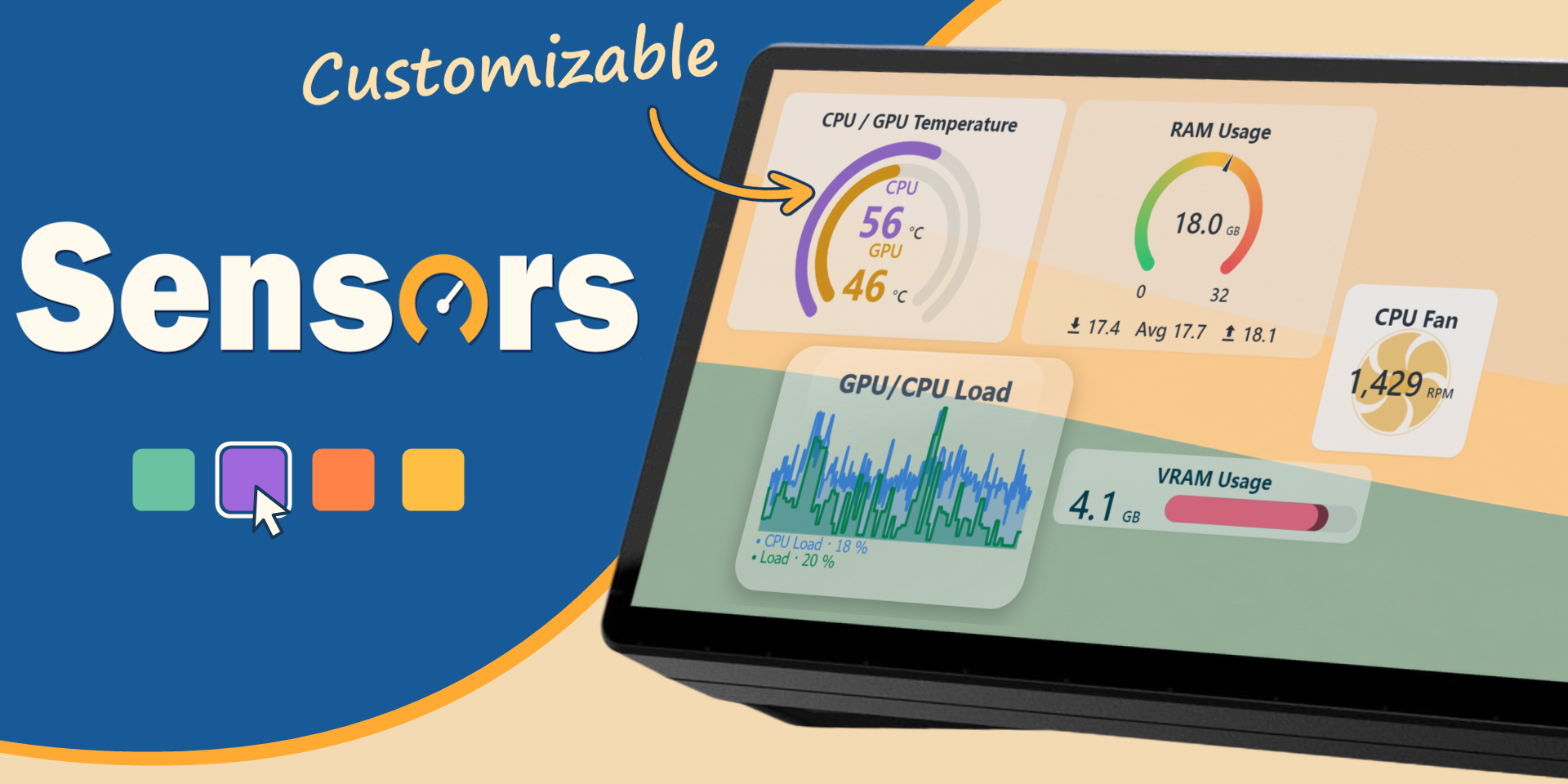
Build your perfect canvas with Sensors, an interactive XENEON EDGE widget that brings your PC’s hardware readings together. Create a compact monitoring panel or fill your display with a layout built around your setup.
This is an actively maintained project, and we'll continue to release updates over time. If you have suggestions, we'd love to hear from you.
What’s Included
Choose from a range of sensor displays:
- Hardware Monitoring: View available temperatures, usage, clock speeds, power readings, and more.
- Cooling: Monitor fan speeds and available coolant temperatures, with custom fan names.
- Storage & Network: Track drive capacity, network activity, and available transfer totals.
- Device Batteries: Monitor supported wireless-device battery levels and charging status.
- System Health: See the health status of your PC, providing flags on things that need to be checked.
- Display Options: Choose graphs, gauges, bars, numerical readings, and dedicated sensor tiles.
Automatically detects available hardware and combines readings from multiple sensor sources. Search by sensor name, browse hardware categories.
Touch Controls and Layouts
Add, move, resize, and customize tiles to create your preferred arrangement. Organize your dashboard across multiple pages and switch between them with touch controls.
Supports horizontal and vertical layouts across widget sizes, with a grid that lets you arrange tiles to fit your space.
Customization
Customize colors, backgrounds, fonts, text sizes, transparency, spacing, corners, and surface styles.
Apply a consistent appearance globally or override individual tiles. Rename sensors and fans, choose measurement units, and adjust how readings appear.
Works in portrait and landscape orientation.
Includes English, Spanish, French, German, Simplified Chinese, Russian, Italian, Korean, and Japanese.
Custom Rules
Set custom rules that change colors and appearance when readings reach your chosen limits. Make high temperatures or other important conditions stand out while the widget is running.
Custom Pages
Add multiple pages and use a two finger swipe gesture (swipe up/down) to go between them.
Data and Connectivity
Sensors requires our Respawn Companion app, a light weight companion app included in the purchase. It will be sent to your email along with the widget itself.
The module supplies additional hardware readings. The widget automatically checks for updates and indicates when a module or widget update is available.
Compatibility
Designed for XENEON EDGE and iCUE on Windows.
Available readings depend on your hardware, drivers, permissions, and connected devices.
Disclaimer
Sensors is independently developed and is not endorsed by, sponsored by, or affiliated with, Microsoft, or other hardware or software manufacturers.
Compatibility may change with Windows, iCUE, driver, or third-party updates. All trademarks, logos, and related intellectual property belong to their respective owners.