

Xeneon Edge Widget For Helldivers 2 is now available
Bring Managed Democracy to your XENEON EDGE with a dedicated Helldivers 2 Stratagem Companion. Quickly deploy stratagems, organize custom loadouts, and access essential mission commands through a responsive touchscree…
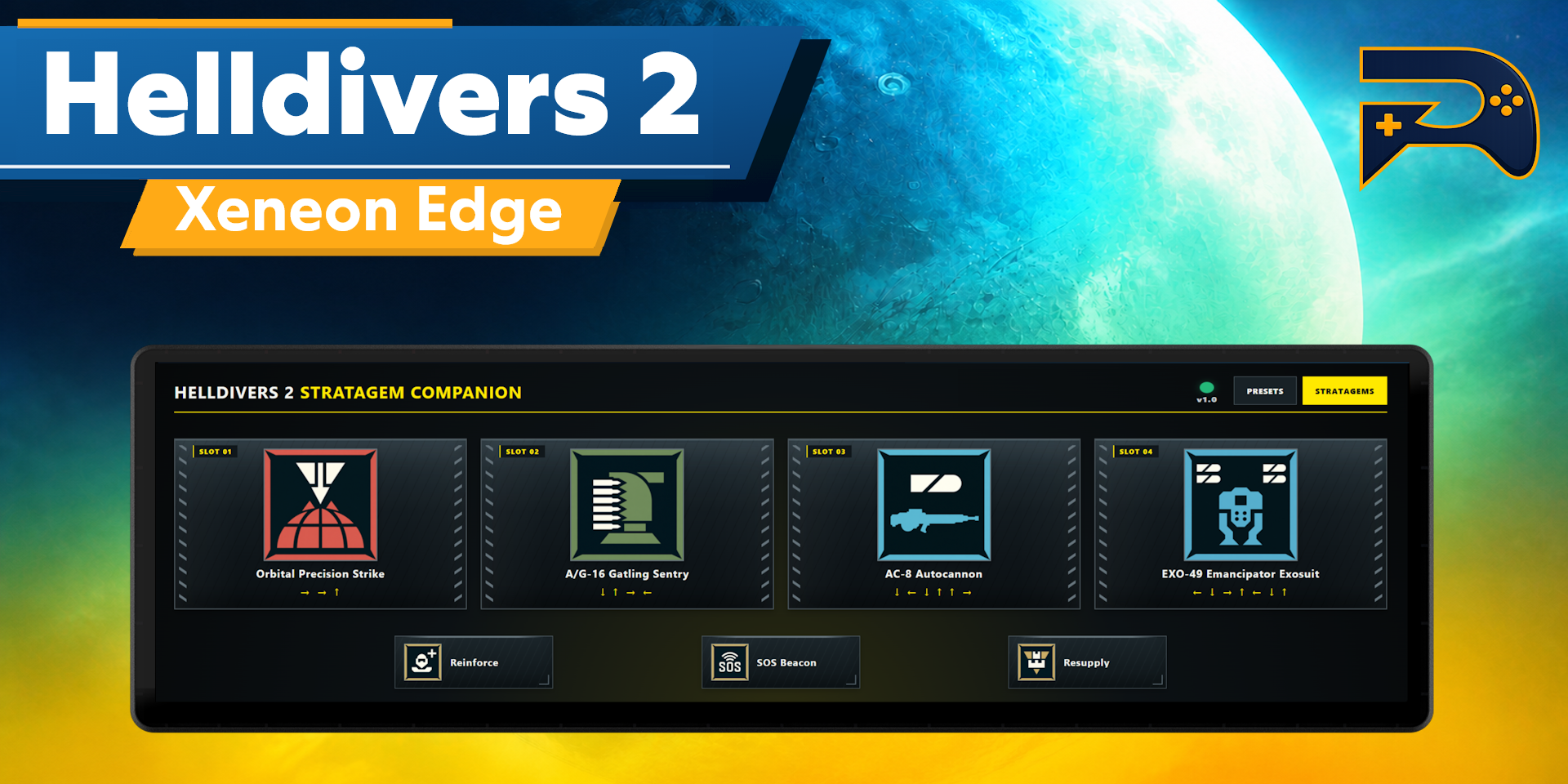
Bring Managed Democracy to your XENEON EDGE with a dedicated Helldivers 2 Stratagem Companion.
Quickly deploy stratagems, organize custom loadouts, and access essential mission commands through a responsive touchscreen interface designed for fast use during combat.
What's Included
Stratagem Interface
The main interface provides four customizable stratagem slots. Dedicated Reinforce, Resupply, and SOS Beacon buttons remain available below the primary loadout for immediate access.
Stratagem Library
Choose from a comprehensive library of Helldivers 2 stratagems, organized into convenient categories:
- Support Weapons
- Orbital
- Eagle
- Emplacement
- Sentry
- Backpack
- Vehicle
- Mission
Use the global search bar to find any stratagem regardless of the currently selected category. Select a loadout slot, choose a stratagem, and save the updated configuration directly from the widget.
Visual Design
The interface features a Helldivers-inspired tactical presentation with:
- High-contrast stratagem artwork
- Illuminated yellow selection indicators
- Detailed military-style panels
- Responsive button feedback
- Optimized landscape touchscreen layout
- Preloaded custom artwork for smoother navigation
- A startup loading screen with automatic update checks
Customization
Loadout Presets
Create and save custom four-stratagem presets for different missions, enemy factions, squad roles, or playstyles.
Fast Stratagem Deployment
Pressing a stratagem automatically sends its configured directional sequence. Keyboard controls, input timing, and deployment behavior can be configured through the Companion Module. The widget communicates with the local module to execute commands and keep loadouts synchronized.
Requirements & Setup
This widget requires the free Respawn Companion application.
Install Respawn Companion using the Related Download link, open its Game Library, and install the Helldivers 2 Module. The lightweight companion needs to be running for the keybinds to work.
The required Respawn Companion application and Helldivers 2 Module provide:
- Configurable stratagem keyboard controls
- Adjustable input timing
- Automatic loadout synchronization
- Persistent presets and settings
- Widget and module compatibility checks
- Update notifications
Respawn Companion can start with Windows and keep the Helldivers 2 Module running in the background without opening its configuration window.
Disclaimer
Helldivers 2 Stratagem Companion is an independently developed community product and is not endorsed by, sponsored by, or affiliated with Arrowhead Game Studios, Sony Interactive Entertainment, CORSAIR, Elgato, or their subsidiaries.
Helldivers 2 and all related names, trademarks, logos, imagery, and intellectual property belong to their respective owners.